
Copilot Feature Overview
Copilot offers a variety of tools based on live or historical data to support pilots in flight. It is also able to log flights and seamlessly upload them to WeGlide. Logged flights are valid for all scorings on WeGlide, including national competitions such as the DMSt.
Certified Logger
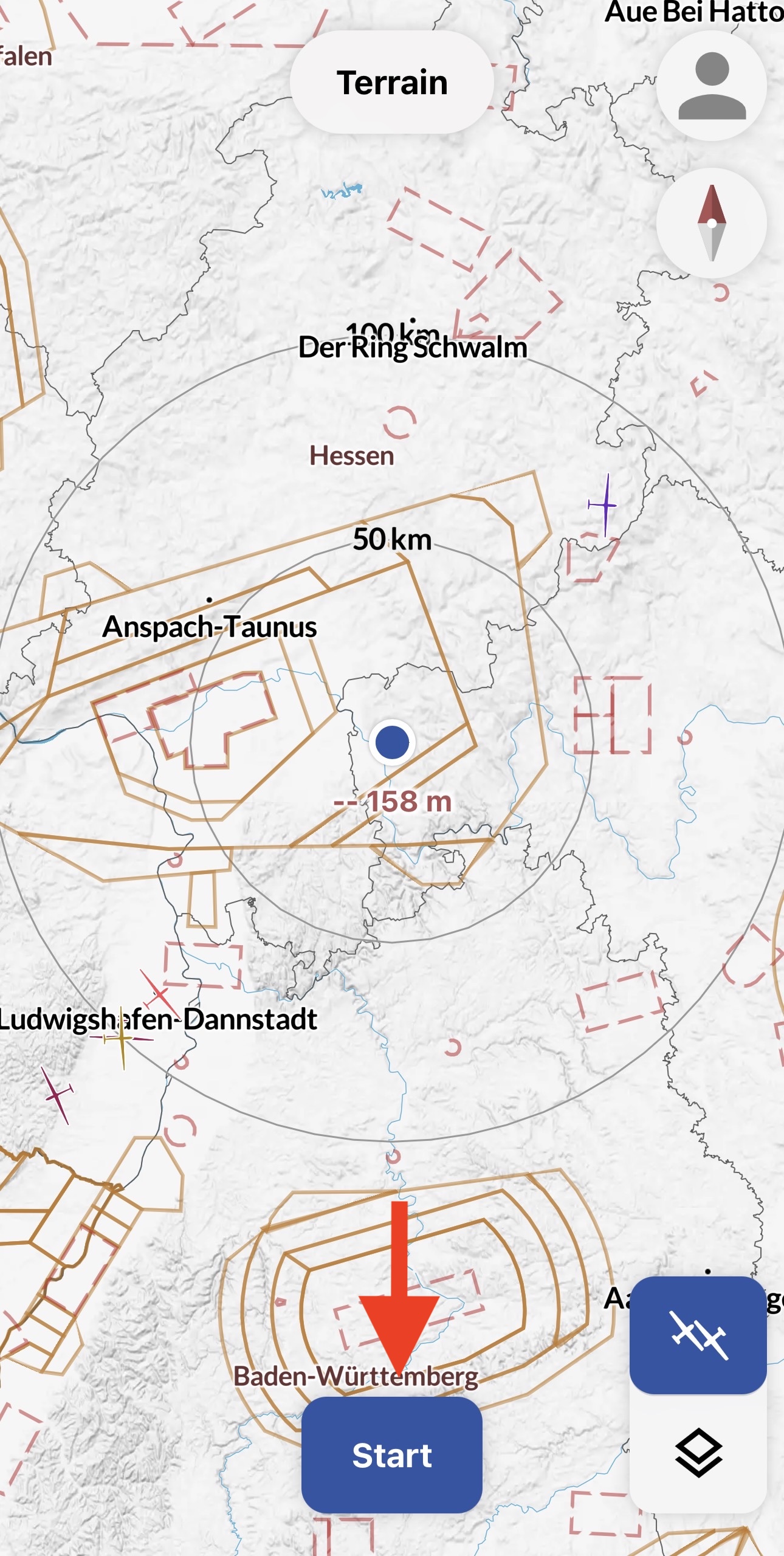
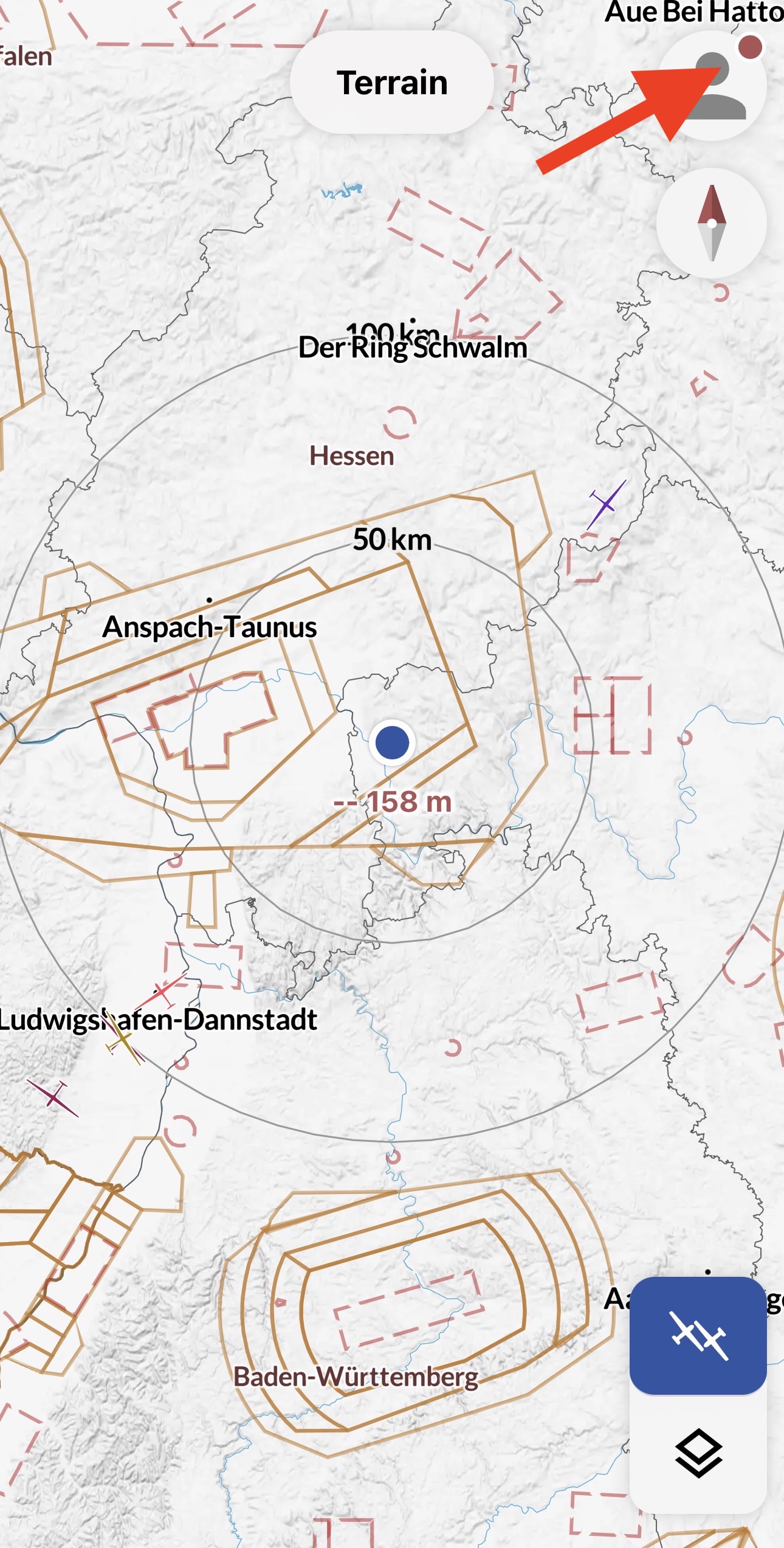
Copilot is one of the supported loggers on WeGlide. Before the flight, you only need to click the "Start" button once and the logger is active. This status is indicated by a red dot on the profile picture.
(1)
Features:
- Takeoff and landing are detected automatically
- Can log flights in the background, even when the screen is locked or other apps are being used
- Creates signed files that are accepted for all competitions on WeGlide, including national competitions
- File contains an ENL recording (Beta)
ENL
ENL is enabled by default. It can be disabled in the settings. However, if a flight with a motorized glider is then uploaded, the file will not be valid. We recommend always keeping ENL active.
Logbook & Upload
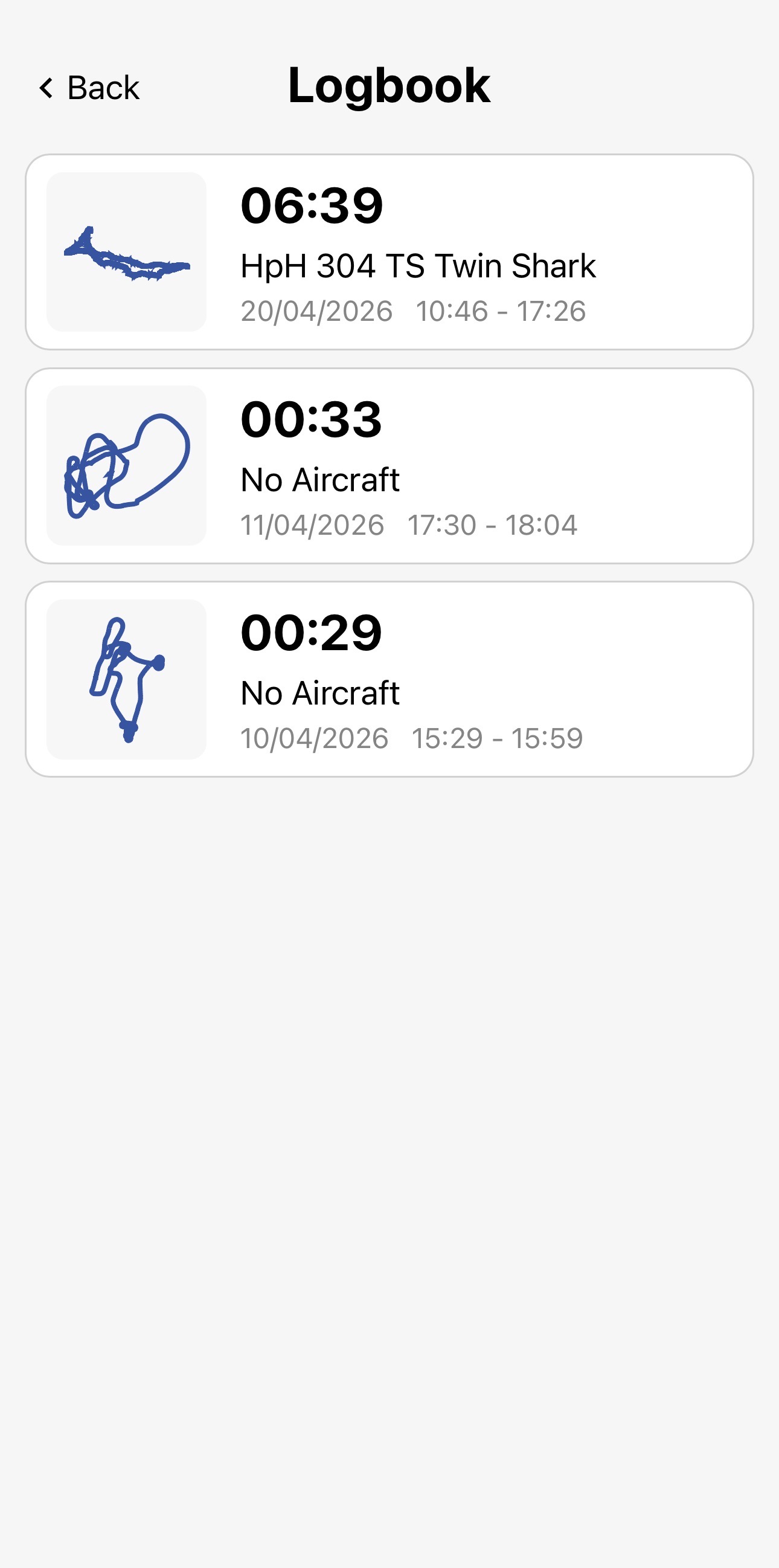
Flights are automatically saved locally in the app. If the flight was connected live, the aircraft type and registration are already saved. Otherwise, the data can be added during upload.
Features:
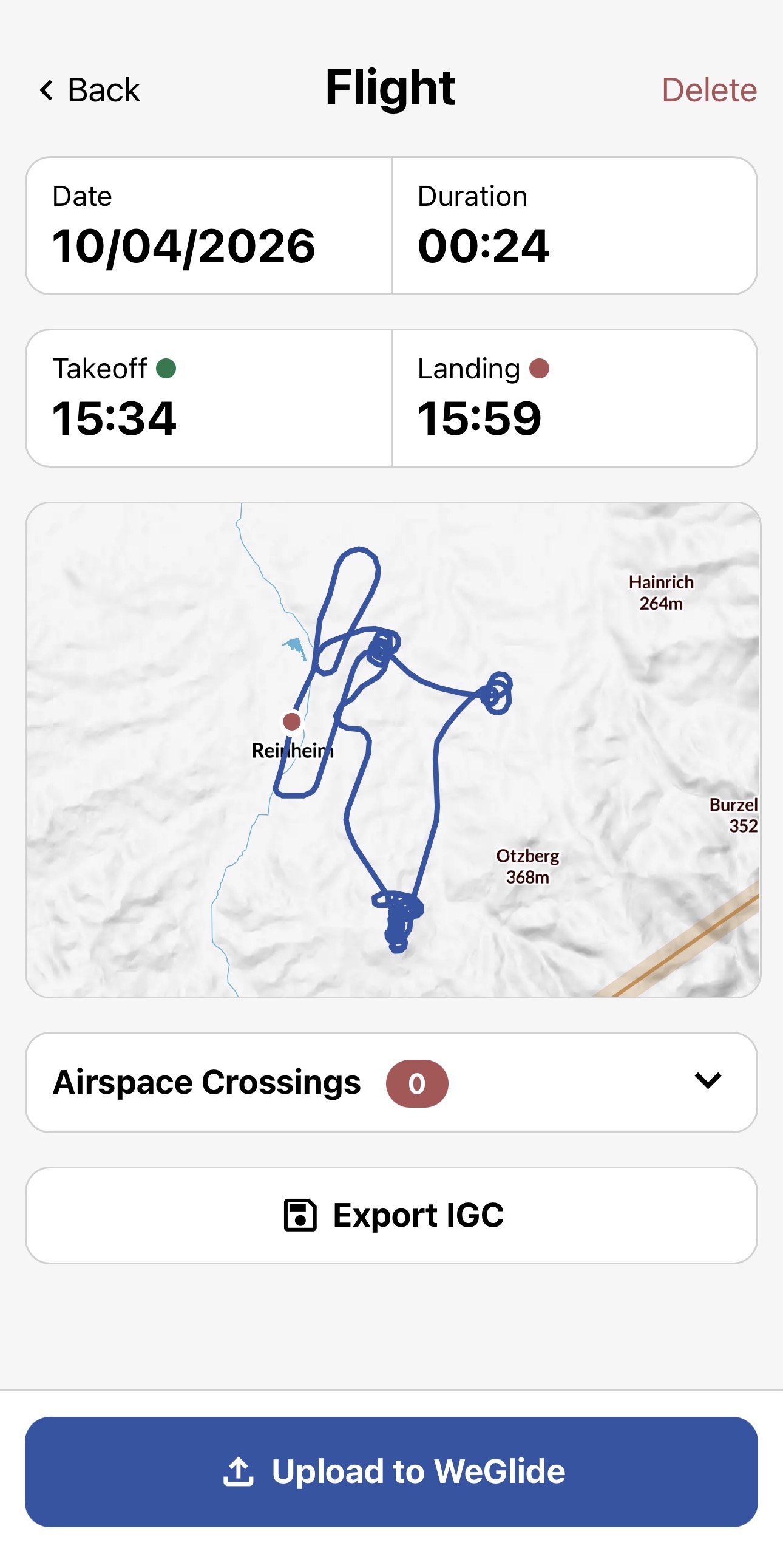
- Flight can either be exported as an IGC file or uploaded to WeGlide
- Airspace violations can be checked before uploading
- Comments can be written before uploading
(1)
Satellite Imagery
With an ambition to offer the freshest satellite imagery possible, Copilot provides European users with new images every five minutes. This feature allows pilots to track weather movement through a time-lapse loop, enhancing their ability to make informed decisions based on weather developments.
Features:
- Frequent satellite imagery updates
- Integrated rain radar overlay
- Time-lapse loop for weather tracking

(3)
Live Tracking
The live tracking functionality of Copilot enhances situational awareness by enabling pilots to toggle the visibility of gliders on any map. Tapping on a glider makes additional information about that glider visible to give you a clue about their performance and current sitation.
Capabilities:
- Toggle visibility of gliders on the map
- Access detailed information about each glider
- takeoff time and airport
- cross country distance and speed
- MSL altitude
- 10s average vario
- last seen

(1)
Live Thermals
Copilot's live thermals feature revolutionizes thermal detection by providing detailed information about nearby thermals and allowing pilots to zoom out for an overview of thermal development and strength along their route. Updated every second, this feature ensures that pilots never miss a thermal opportunity.
Benefits:
- Detailed and immediate thermal activity information
- Visibility of thermal strength and development
- Real-time updates for up-to-the-second accuracy
- Unique name for thermal to coordinate with team partners

(1)
Live Net Climbing
Copilot evaluates the flight paths of all gliders in the vicinity to calculate air mass lift, offering a continuously updated map every two minutes, based on the last 60 minutes of data. This feature serves as a crucial decision-making aid for long-term route planning, helping pilots identify optimal lift lines and stronger lift areas within those lines.
Key Features:
- Detailed maps for precise identification of lift areas
- easy identification of convergences and cloud streets
- Color-coded lift strength indicators for easy visualization
- Data updates every two minutes for timely decision support

(1)
Live Thermal Base
The live base height feature provides a clear overview of the current thermal heights across different flying areas, correlating base height with thermal strength in the absence of interfering factors. Updated every two minutes based on the latest 60 minutes of data, it offers valuable insights into thermal quality, enabling pilots to anticipate weather conditions and plan their flights accordingly.
Highlights:
- An intuitive display of thermal heights
- Frequent updates for the most current information

(1)
Thermal Hotspots
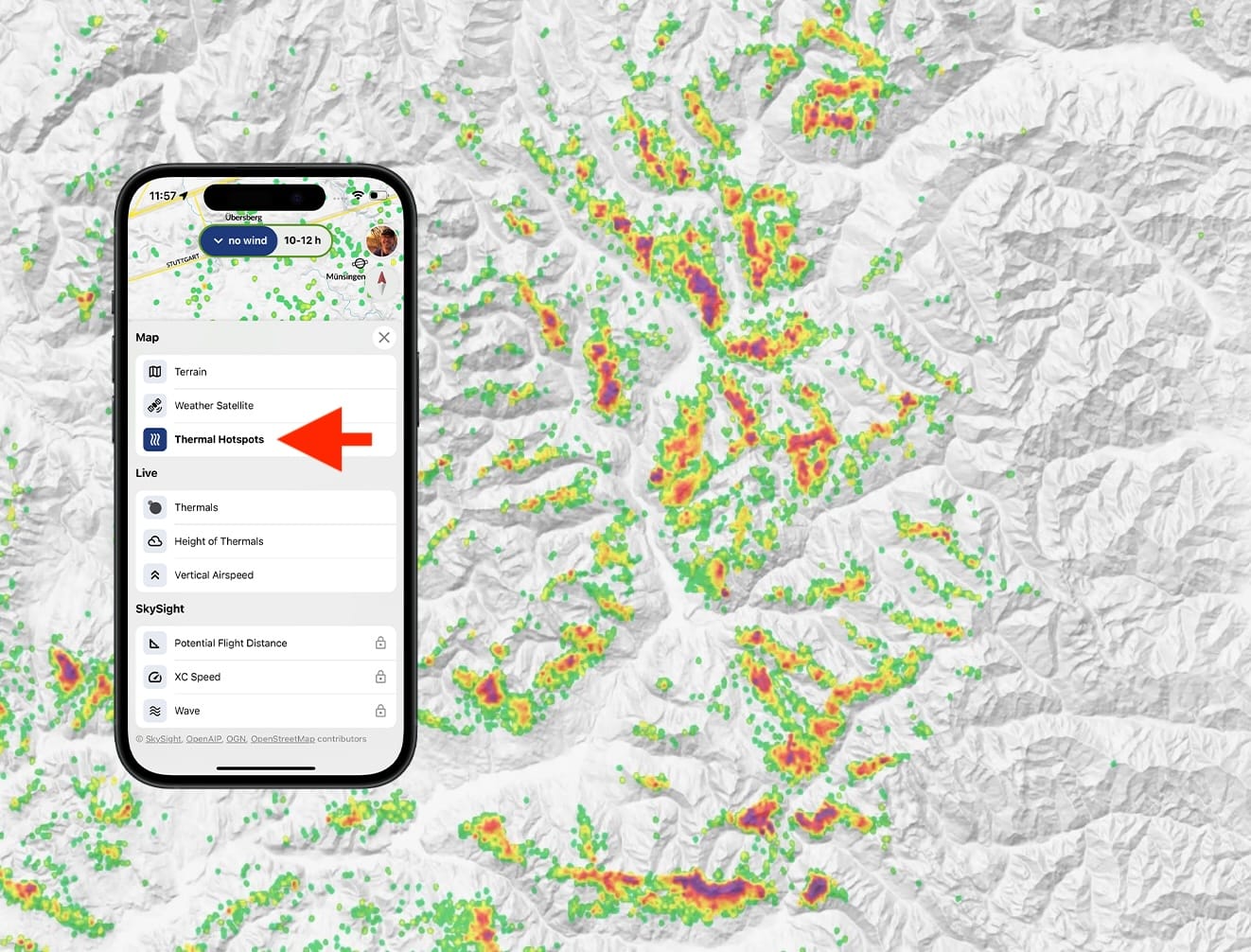
For Copilot's thermal hotspots feature, we analyzed over ten million thermals to create dynamic probability maps showing your chances of finding reliable thermal activity. The system provides 25 different maps combining five time periods and five wind directions for optimal thermal prediction throughout your flight.
Features:
- Color-coded probability mapping based on real glider pilot data
- Time-sensitive hotspot maps from morning to evening
- Wind-aware predictions for different conditions
- Quality-filtered data showing only reliable thermal sources
Read more in our magazine article.
(1)
Integration into your LXNav Device
Copilot can be viewed on your LXNav device - see the corresponding user manual for more information on how to do it.
Integration with SkySight
Copilot integrates predictive maps from SkySight, allowing pilots to access valuable forecast data such as Potential Flight Distance (PFD), hourly cross-country speed, and wave predictions, even with poor internet connectivity.
Integration Highlights:
- Access to SkySight's predictive maps.
- Reliable performance, even in areas with poor internet connectivity.
Currently available Maps
- Convergence
- XCSpeed
- Wave
Segments Integration
Copilot can display WeGlide segments. They can be activated in the settings.
BILD
Integration of Soaringspot Task Imports and WeGlide Tasks
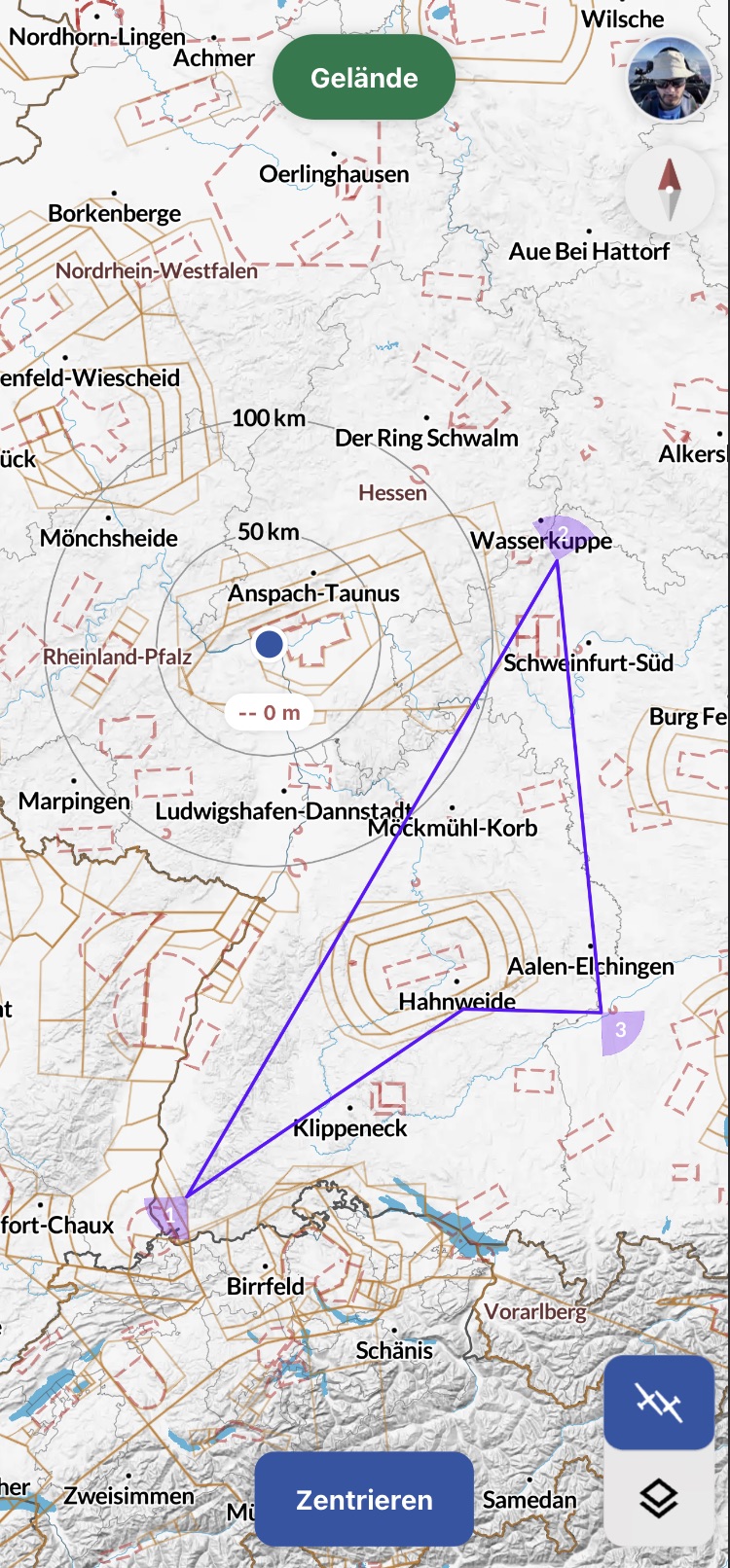
Copilot supports the integration of Soaringspot Task imports and tasks created on WeGlide. These can be made visible on top of the layers.
Waypoint Collections Integration
In Copilot, the corresponding waypoint collections that are set up in your WeGlide profile can be displayed. They can be activated in the settings.
BILD
Integration of Outlanding Fields from Streckenflug.at
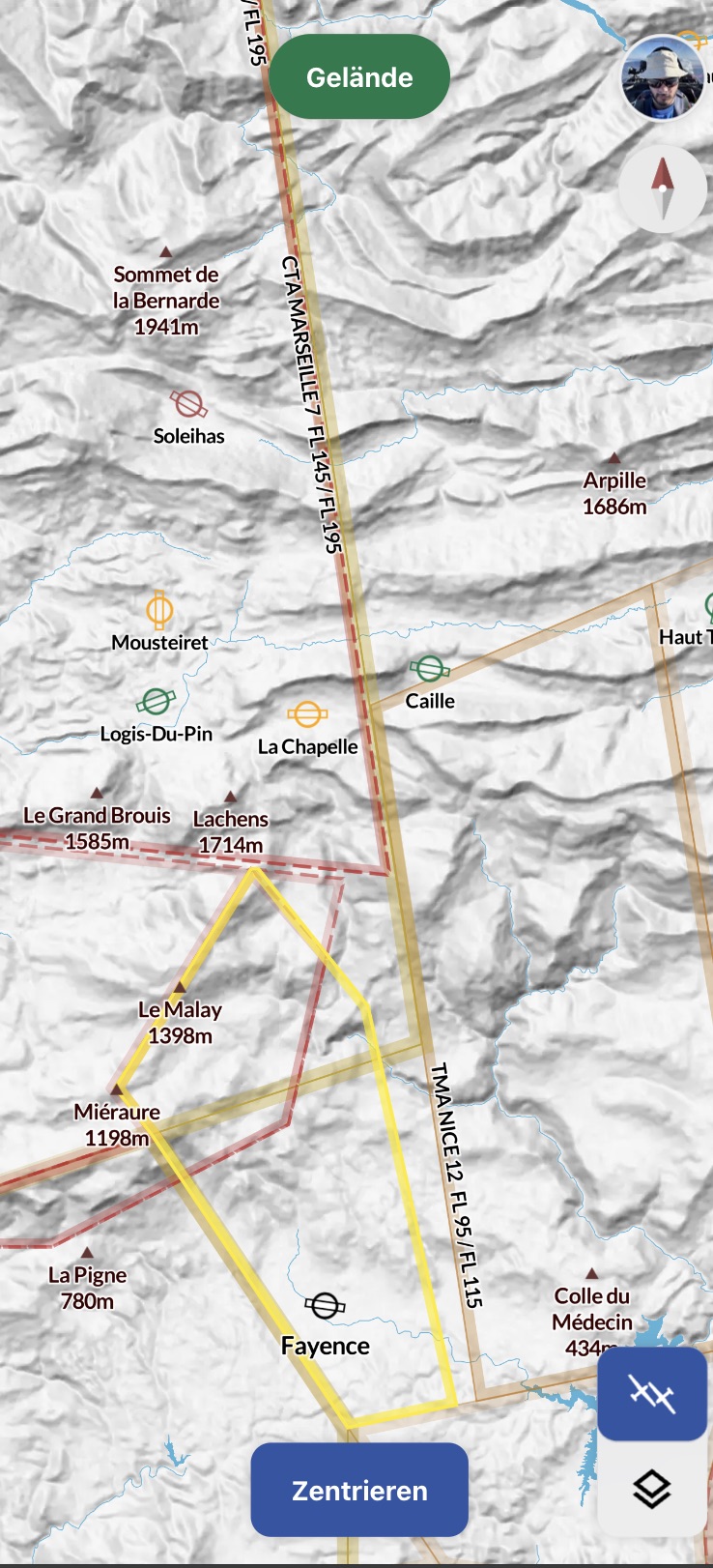
Outlanding Fields from Streckenflug.at can be integrated and made visible on the map with Copilot. The color of each field indicates its rating. They can be activated in the settings.
(2)
Footnotes
1: WeGlide subscription required 2: SkySight subscription required 3: WeGlide or SkySight subscription required