
Satellite Trackers
When you fly out of range of OGN ground stations, WeGlide Live can keep your flight going with positions from a Garmin inReach or SPOT satellite tracker. WeGlide reads your tracker's public feed and adds its positions to your live flight.
Requirements
- Your glider is registered under My aircraft and you are connected to it with Live Connect.
- WeGlide Live has picked up your takeoff, for example through FLARM and the OGN. Satellite positions extend a flight that is already in the air. They do not start a flight on their own.
- Your tracker's feed is public. WeGlide cannot read a feed that is protected by a password.
How it works
While you are airborne and WeGlide has received no position from your glider for two minutes, it checks your satellite feed every five minutes. How often a new position appears depends on the tracking interval set on your device. As soon as OGN positions arrive again, they take over.
Garmin inReach
- Sign in at Garmin Explore, click My Info, then Social, and enable MapShare. Do not set a MapShare password.
- Copy your MapShare address, for example
https://share.garmin.com/YourName.
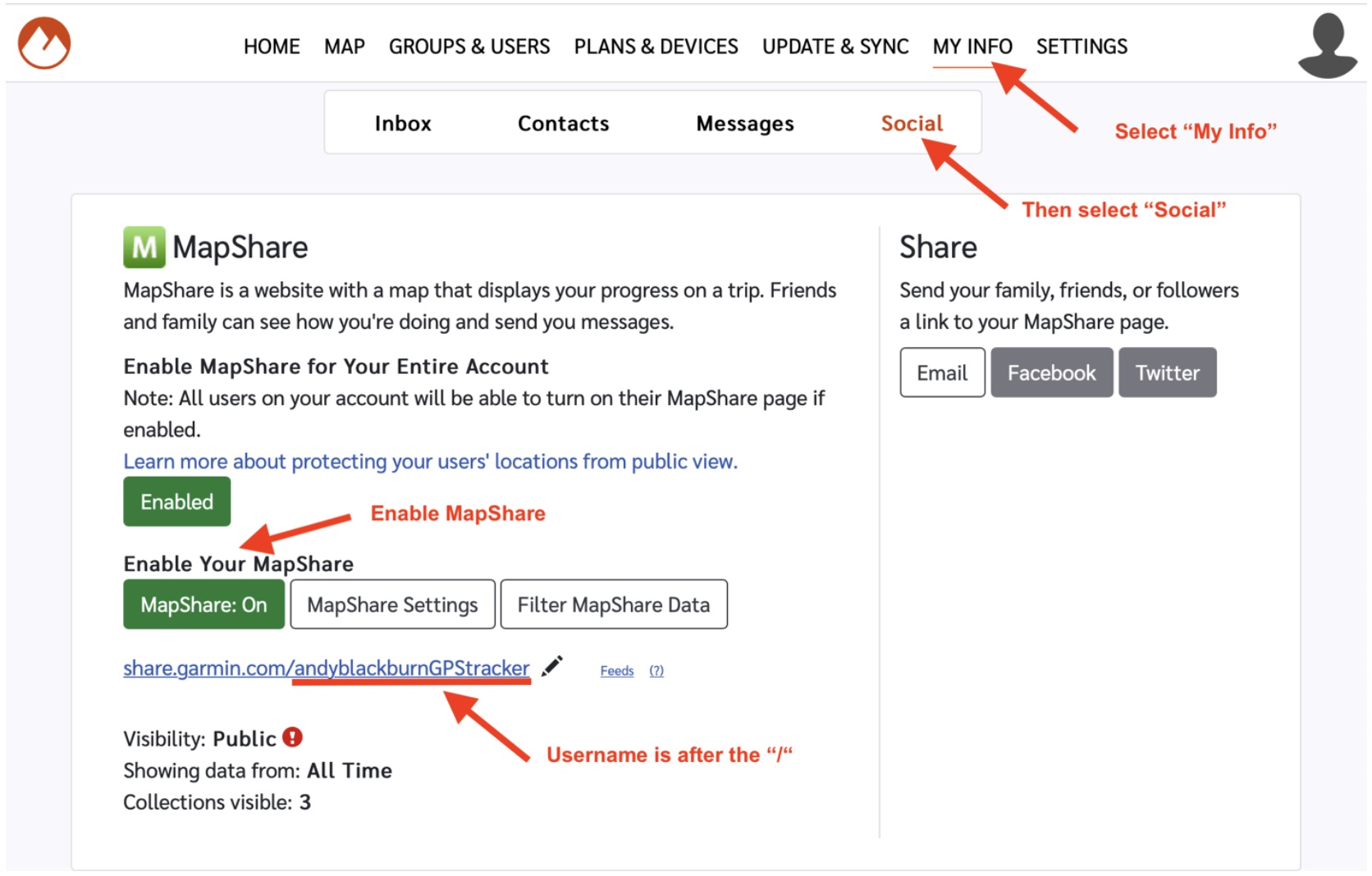
- In WeGlide, open My aircraft in your profile. Under Satellite trackers, paste the address into Garmin InReach MapShare URL and save.
- Start tracking on your inReach before takeoff.
SPOT
- In your SPOT account, create a shared XML feed and copy its feed ID, as described in Public API and XML feed. Do not set a feed password.
- In WeGlide, open My aircraft in your profile. Under Satellite trackers, enter the ID as SPOT XML feed ID.
- If your feed contains more than one SPOT device, also enter the ESN of the device you fly with.
- Save, and start tracking on your SPOT before takeoff.
Forwarding forms
Earlier versions of this page asked you to forward your tracker to the OGN through a form. That service is no longer available. Add your tracker in WeGlide as described above instead.